
NetScope
A Chrome DevTools-style network monitor for your whole Mac.
$19.99 one-time
Learn moreNative macOS · Apple silicon & Intel
Control the volume of every app, see every network connection your Mac makes, and automate key presses. Native, private, and yours forever for a single payment.
All three apps for $24.99
Save $12.98 with the ProMacTools Bundle. One payment, lifetime license.
The apps
Each one does a single job well, lives quietly on your Mac and costs less than a month of most subscriptions.
A Chrome DevTools-style network monitor for your whole Mac.
$19.99 one-time
Learn more
Per-app volume control in your menu bar, like the Windows Volume Mixer.
$9.99 one-time
Learn more
An automatic key presser that works in any app, even in the background.
$7.99 one-time
Learn moreNetScope
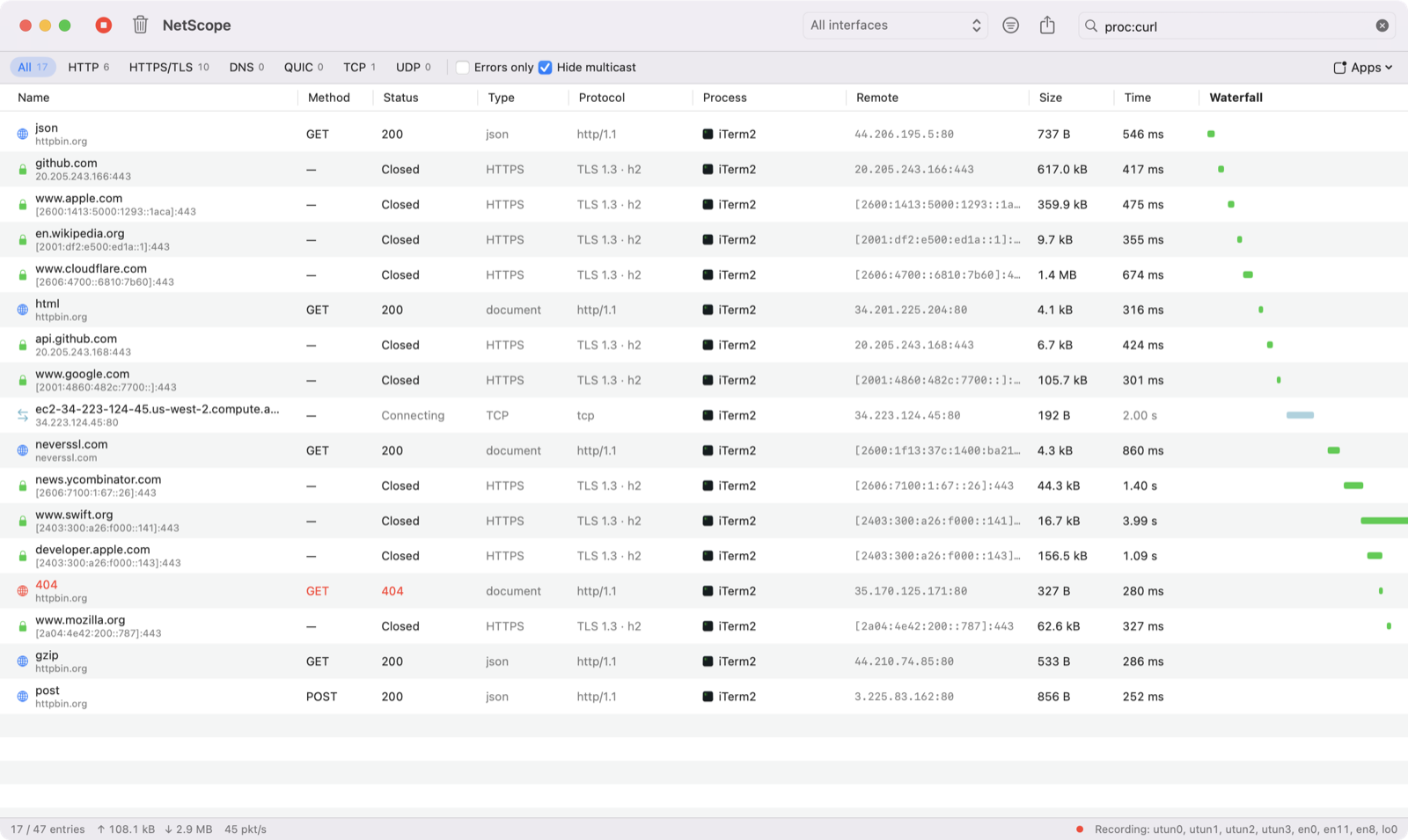
Browser DevTools only show what one tab does. NetScope captures traffic from every app on your Mac — browsers, chat apps, background services, command-line tools — and lays it out the way web developers already know: a request list with status, type, size, timing and a waterfall.
App Volume Mixer
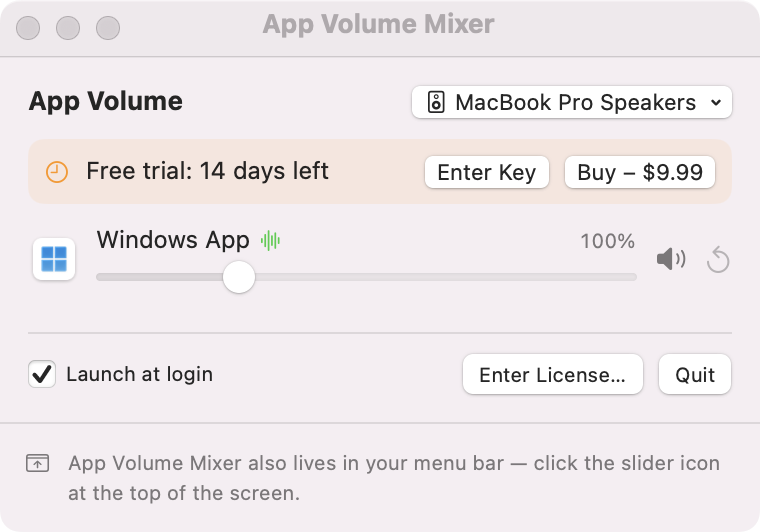
macOS has one volume slider for everything. App Volume Mixer adds a slider for every app that plays sound, so a video call can stay loud while music stays in the background — and a notification-happy app can stay silent.
AutoKey
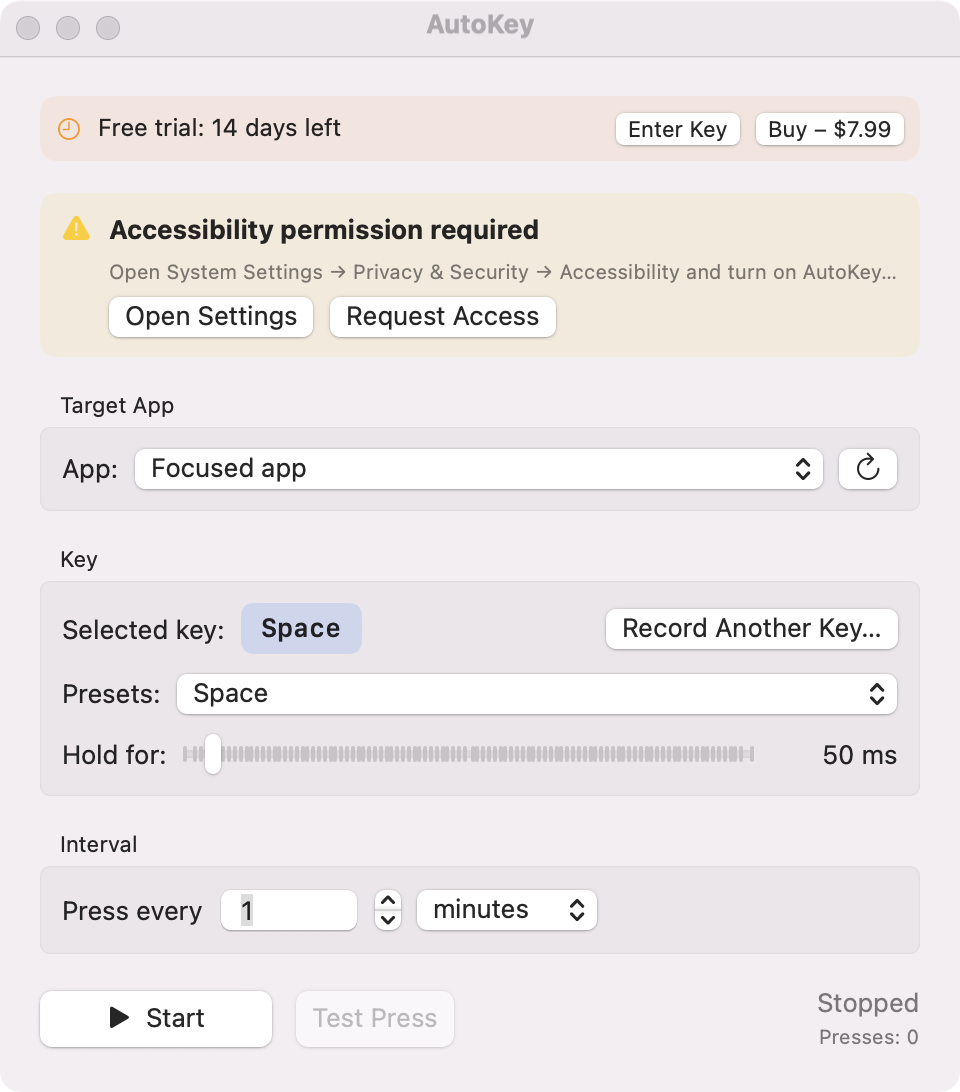
Some apps log you out or go idle when nothing is typed for a while. AutoKey sends a key press for you — every few seconds, minutes or hours — to the app you choose, and steps aside while you are typing.
Why ProMacTools
No subscription. Your license never expires and includes free updates.
Use it on your desktop and laptop. Move it to a new Mac any time.
Every feature unlocked. No credit card, no account.
No tracking, no analytics, no account. Your data stays on your Mac.
Written in Swift for macOS. Universal for Apple silicon and Intel.
Not right for you? Email us for a full refund, no questions asked.
Download the free trial — a small .dmg file.
Drag the app to Applications and open it.
Allow the one permission it explains, and you are done.
Learn
Clear answers to common Mac questions about sound, networking and automation.
App Volume MixerHow to Change the Volume of Individual Apps on MacmacOS has a single volume slider. Here is how to set a different volume for each app on your Mac — mute one app, keep another loud — in under a minute.Read guide App Volume MixerWhy Does My Mac Lower Other Apps' Volume During Calls? (And How to Fix It)FaceTime, Zoom, Teams and camera intercom apps make macOS duck all other sound. Here is what causes it, what you can change, and how to bring the volume back.Read guide NetScopeHow to See Which Apps Are Using the Internet on MacThree ways to find out which apps on your Mac connect to the internet, which servers they talk to and how much data they use.Read guide NetScopeHow to Monitor HTTP Requests From Any App on Mac (Not Just the Browser)Browser DevTools only show one tab. Here is how to see HTTP and HTTPS requests from every app on your Mac — desktop apps, CLI tools and background services.Read guide AutoKeyHow to Automatically Press a Key on Mac at an IntervalThree ways to make your Mac press a key automatically every few seconds or minutes — with AppleScript, with Automator, or with a small app that targets a specific window.Read guide AutoKeyHow to Keep a Remote Desktop or Windows App Session From Disconnecting on MacRemote Desktop and Windows App sessions disconnect when idle. Why it happens, why caffeinate does not help, and how to keep them active.Read guide ProMacTools is an independent studio that makes small, focused utilities for macOS: NetScope (network monitor), App Volume Mixer (per-app volume) and AutoKey (automatic key presser).
No. Each app is a one-time purchase that includes free updates and works on up to 3 Macs.
Yes. Every app has a 14-day free trial with all features. No account or credit card is needed.
All apps are universal (Apple silicon and Intel). NetScope needs macOS 14, App Volume Mixer macOS 14.2 and AutoKey macOS 13 or later.
No. There is no analytics or tracking. The apps only contact promactools.com to activate your license and check for updates.
Every feature unlocked, no account, no credit card. Buy once when you are sure.