

NetScope — Network Monitor & HTTP Inspector for Mac
NetScope shows every HTTP, HTTPS, DNS, QUIC, TCP and UDP connection on your Mac, which app made it and how long it took, in a view that works like the Chrome DevTools Network tab. One-time purchase, $19.99.
One-time purchase · 3 Macs · free updates · 14-day trial · 14-day money-back guarantee
- Version 1.0
- Requires macOS 14 Sonoma or later
- Universal Apple silicon & Intel
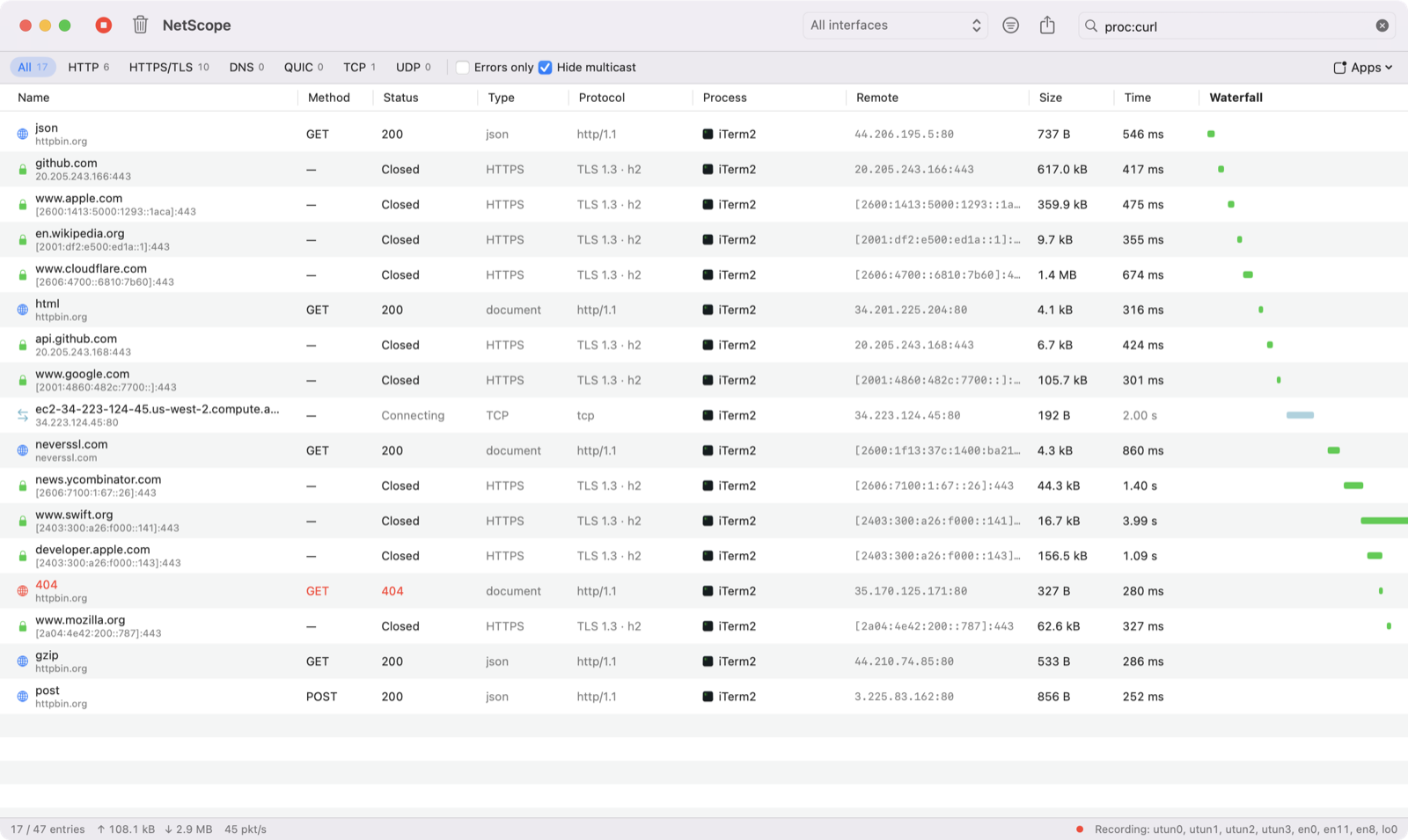
See every connection your Mac makes.
Browser DevTools only show what one tab does. NetScope captures traffic from every app on your Mac — browsers, chat apps, background services, command-line tools — and lays it out the way web developers already know: a request list with status, type, size, timing and a waterfall.
Every protocol
HTTP/1.x requests with headers and bodies, HTTPS/TLS connections with server name (SNI), DNS queries and answers, QUIC/HTTP3, plus any other TCP or UDP flow.
Which app did it
Each row shows the app that owns the connection. Helper processes are grouped under their app, so Chrome Helper shows up as Google Chrome.
DevTools-style filters
Type host:, proc:, port:, status:, method: or larger-than:, or prefix any term with - to exclude it. Filter by type with one click.
Request details
Headers, response preview (JSON pretty-printed, images, hex), timing breakdown with TCP handshake and TTFB, and a packet list for every connection.
Waterfall timeline
Spot slow DNS lookups, long waits and large downloads at a glance.
Export and share
Copy any request as cURL or export the visible requests as a HAR file for other tools.
BPF capture filters
Use tcpdump syntax such as tcp port 443 or udp port 53 to capture only what you need.
Private by design
Everything is captured and analysed on your Mac. Nothing is uploaded.
Install in under a minute
- Download NetScope.dmg and drag NetScope to Applications.
- Open NetScope. The first time, click Enable Packet Capture and enter your Mac password once.
- Traffic appears immediately. Type in the filter box or click a type to narrow it down.
Requirements
- macOS 14 Sonoma or later (Apple silicon and Intel)
- Administrator password once, to allow packet capture
Good to know
- HTTPS content is encrypted, so NetScope shows the server name, TLS version, timing and size — not the request body. Plain HTTP is shown in full.
- Connections owned by macOS system processes that run as root (for example mDNSResponder) are listed without an app name.
How NetScope compares
| NetScope | Wireshark | Little Snitch | Proxy tools (Proxyman, Charles) | |
|---|---|---|---|---|
| Shows the app behind each connection | Yes | Not built in | Yes | Only apps that use the proxy |
| DevTools-style request list and waterfall | Yes | No | No | Yes |
| Sees DNS, QUIC, UDP and non-HTTP TCP | Yes | Yes | Yes | No |
| Decrypts HTTPS content | No | No | No | Yes, with a trusted certificate |
| Blocks connections | No | No | Yes | No |
| Setup | Drag to Applications | Installer + capture helper | Installer + system extension | Proxy + certificate setup |
Comparison based on publicly documented features as of 2026-10-23.
NetScope FAQ
Is NetScope a Wireshark alternative for Mac?
For everyday questions — which app is talking to which server, what an HTTP API returns, why a page is slow — yes. NetScope groups packets into requests and connections and names the app behind them. Wireshark remains the better tool for deep protocol dissection of hundreds of protocols.
Can NetScope see HTTPS traffic?
It sees every HTTPS connection: the server name (SNI), TLS version, cipher, negotiated protocol (h2 or http/1.1), size and timing. The encrypted content itself is not visible. Plain HTTP requests are shown with full headers and bodies.
How do I see which apps are using the internet on my Mac?
Open NetScope and look at the Process column, or pick an app from the Apps menu to show only its connections. Activity Monitor's Network tab shows totals per process, but not the servers or requests.
Does NetScope need root or a kernel extension?
No. NetScope runs as a normal app. The first launch installs a small permission helper (the same approach Wireshark uses) after you enter your password once.
Does NetScope slow down my Mac or network?
NetScope only listens; it never sits between your apps and the network, so it cannot slow connections down. Capture and parsing run in the background.
Does NetScope upload my traffic?
No. All data stays on your Mac. The only network requests NetScope makes itself are the license check and the update check to promactools.com.
Guides
Try NetScope free for 14 days
One-time purchase · 3 Macs · free updates · 14-day trial · 14-day money-back guarantee
Need more than one app? Get all three for $24.99 — also works with App Volume Mixer and AutoKey.